Virtual Tour Checklist for LA Remote Workers Moving to NYC

Many Los Angeles remote workers plan their New York City move without ever stepping inside the apartment they rent. The video tour feels efficient, and often it is. But a home office is a specific piece of infrastructure, and a camera pointed at the living room will not tell you whether your desk fits, whether the connection holds during a client call, or whether the street outside goes quiet by 9 p.m. This guide covers the checks every Los Angeles remote worker moving to NYC should run on a virtual tour, before a deposit or signature changes the picture.
Table of Contents
- Quick Takeaways
- What a Virtual Tour Can and Cannot Prove
- Measuring Your Desk Zone Before You Sign
- Internet, Power, and Backup Connectivity
- Coworking Rooms and Shared Amenities
- Rent Regulation, Leases, and Work-Use Clauses
- Neighborhood and Time Zone Checks
- Comparing Tour Formats for Remote Workers
- Frequently Asked Questions
- References
Quick Takeaways
| Key Insight | Explanation |
|---|---|
| Ask for a live walkthrough of the desk zone | A recorded tour edits out the wall where you will actually work. Request a live call and ask the agent to point the camera at that exact spot. |
| Measure the desk zone with numbers | Get wall lengths, door swing, and window distances in writing. Compare them to your desk, chair, and monitor arm before you visit. |
| Run a speed test inside the unit | Ask for both download and upload results from a device on the unit's connection. A lobby or building test does not show what your desk will get. |
| Check noise during your working hours | A quiet 6 p.m. viewing says little about 10 a.m. traffic. Ask about the street, neighbors, and nearby construction during the hours you will be on calls. |
| Confirm the lease allows work from home | Some leases restrict commercial use of a residential unit. Get written confirmation that working from home, with occasional visitors, is permitted. |
| Ask for the rent regulation status | Find out whether the unit is rent stabilized, rent controlled, or market rate, and how renewal increases would work. |
| Verify short-term rental registration | If a furnished unit is advertised as short-term, New York City requires hosts to register under Local Law 18. Ask for proof before you commit. |
What a Virtual Tour Can and Cannot Prove
A virtual tour answers one question well: what does the apartment look like? A remote worker needs a different answer, which is whether you can work there eight hours a day. Camera angles, wide-angle lenses, and the agent's choice of which doors to open all shape the impression. The most useful habit you can build is treating the video as a starting point and writing down everything it cannot show.
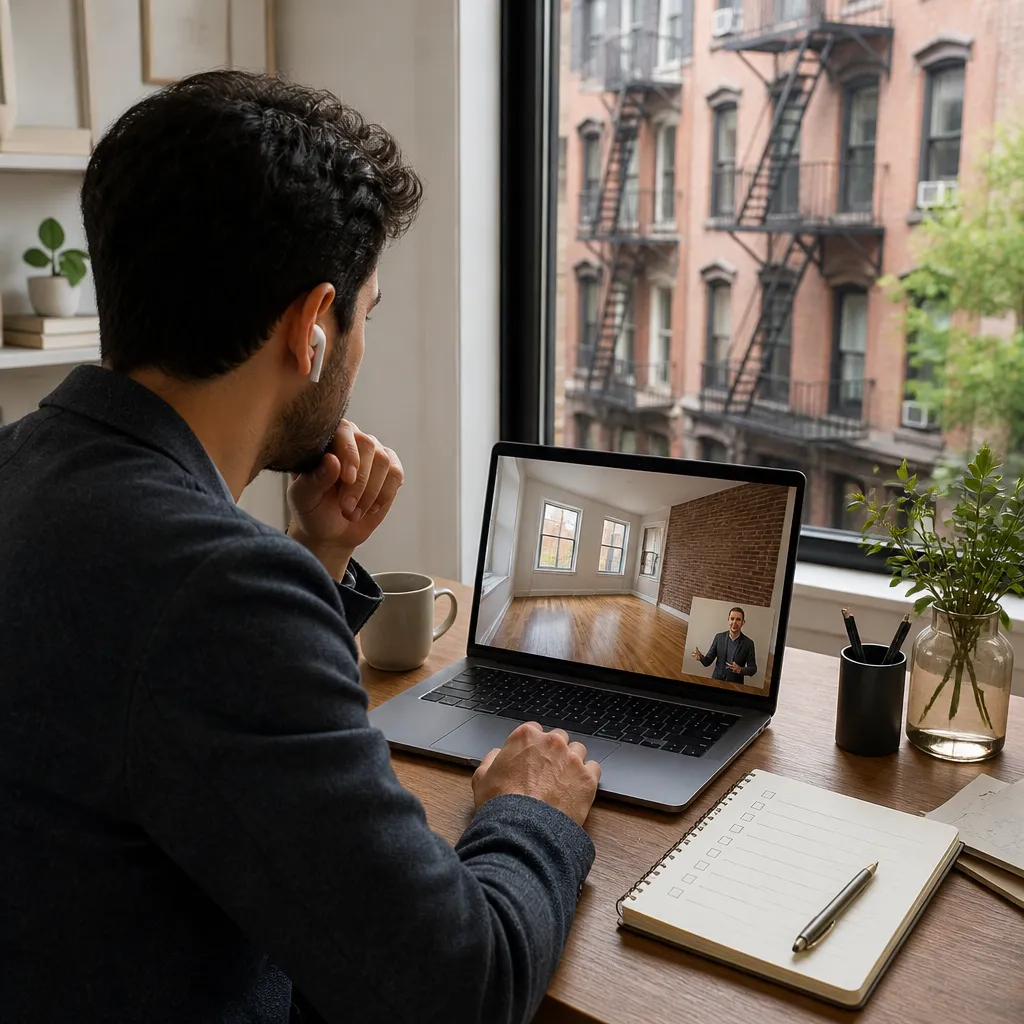
Start with the lens. Many listing videos use wide-angle lenses that stretch a bedroom into something that looks like a studio. Ask yourself whether the room you see is the room you would live in, or simply the one that photographs best. A reliable test is to look for an object whose size you know, such as a standard interior door or a queen mattress, and estimate the room from there.
Why the camera controls the story
Whoever holds the phone decides what gets shown. If the agent walks you through the living room and skips the second bedroom, that is information, not an accident. Ask to see the closets, the hallway, the corner where a desk would go, and the window that faces the building across the way.
The camera shows the apartment the listing wants you to see. Your workday needs the apartment you will actually live in.
Questions to send before the call
Send your questions in writing before the tour so the agent can prepare. Ask for the unit's exact square footage, the year the building was constructed, the number of units in the building, and whether the unit faces a street or a courtyard. These details affect noise and rent regulation, and a responsive agent will answer them without fuss.
In practice, a serious tour should leave you knowing more about the work setup than the listing description says. If the call ends with the same unanswered questions you started with, schedule a second call before you discuss terms.
Measuring Your Desk Zone Before You Sign
A desk needs more than floor space. It needs a clear sightline for video calls, a surface that holds a laptop stand and two monitors, and a chair that rolls without hitting a radiator or a closet door. Most remote workers underestimate how much room that takes until the chair ends up in the wrong place.
Ask for dimensions, not adjectives
Listings often describe a bedroom as spacious, which tells you nothing. Request the wall lengths, the distance from the door to the window, and the depth of any alcove or niche. Then measure your own desk, chair, and monitor arm, and compare those numbers to the figures the agent provides.
Pro tip: Ask the agent to hold a tape measure or a known object against the wall during the live call. A thirty-second check on camera can save you a return trip across the country.
Window placement and screen glare
Natural light is one of the best features of many apartments, and it is also the most common complaint from people who stare at screens all day. Ask which direction the main windows face and when the sun reaches the desk wall. A window that pours direct afternoon light onto your screen can turn a bright room into a daily squint, while a window that sits behind your monitor can leave your face in shadow on calls.
Outlets, cable runs, and where the router will live
Count the outlets near the desk zone and check whether any are controlled by a wall switch. Older buildings often have limited outlets in bedrooms, so a single power strip can end up under the desk with everything else plugged into it. Ask where the building's internet line enters the unit, because that determines where the router can sit without a long cable running across the floor.
Internet, Power, and Backup Connectivity
Connectivity is the check most people leave until after they sign, and it is the one that costs the most to fix later. On the tour, your job is to confirm two things: which internet services can physically reach the unit, and what the current connection can handle under load.
Running a speed test on site
Ask the agent to run a speed test while you watch, using a device connected to the unit's network if one is available. Request both download and upload results, since video calls and large file transfers depend heavily on upload speed. A single result is only a snapshot, so ask for a second test later in the call from a different room if possible.
A common mistake is accepting a test run in the building lobby or on a shared network. That result shows the building's capacity, not what your desk will receive once other tenants are online.
Pro tip: Ask which internet providers serve this specific building, not just the neighborhood. Service can vary from one building to the next on the same block, so a provider name on a website does not settle the question.
Building wiring and provider choice
Find out whether the building has existing fiber or cable infrastructure and whether the unit is wired for the provider you plan to use. Some buildings limit which providers can install service, and some require installation through an approved vendor. Ask the management office for that information in writing and check whether installation fees apply before you commit.
Backup options when service drops
Plan for the day your connection fails in the middle of a client call. Ask whether the unit has a cellular signal strong enough to support a hotspot at the desk. Check the signal yourself on the tour, because indoor reception can vary widely from one apartment to the next, even inside the same building.
Coworking Rooms and Shared Amenities
Luxury buildings across New York City increasingly market coworking spaces as a standard amenity, and you will see that language in many listings. An NBC Los Angeles report on the trend describes buildings adding designated coworking areas for residents as remote work continues to linger. For you, the question is whether the space is real, usable, and available on your schedule.

A shared space only helps if it supports your calls. A room with thin walls, a shared printer, and a queue for the one good table is not a substitute for a quiet desk at home, especially if your work involves confidential client material.
Bookable rooms versus marketing photos
Marketing photos show empty rooms with good light and nobody on a call. On the tour, ask to see the coworking area in use, or at least ask how many residents can book it at the same time, whether private rooms are available for calls, and how far ahead reservations must be made. A room that requires booking a week in advance will not help someone with a daily meeting schedule.
Booking rules and guest policy
Ask about guest policies, booking fees, and whether the space is included in rent or charged separately. Ask whether clients can visit the building and whether visitors must sign in. These rules shape how you can use the space for work, and they are often missing from the listing summary.
Rent Regulation, Leases, and Work-Use Clauses
Rent is the number that drives the decision, and the regulatory status of an apartment determines how that rent can change over time. The NYC Comptroller's spotlight on the city's rental housing market uses income thresholds to show how quickly affordability shifts, noting that at one rent level, a household would need to earn $140,000 or more to avoid being rent-burdened, which means paying 30% or more of income on rent.
Rent stabilized or market rate
Ask directly whether the unit is rent stabilized, rent controlled, or market rate. The NYC Rent Guidelines Board explains that these categories follow different rules. Rent stabilization generally covers apartments in buildings of six or more units built between February 1, 1947 and December 31, 1973, along with some other categories. According to the 2023 NYC Housing and Vacancy Survey, there were about 24,020 rent controlled apartments and about 960,600 rent stabilized apartments, so the status matters for a large share of the rental market.
Ask the agent to explain how the rent could change at renewal, and request that answer in writing. A listing label is not a legal explanation, and a remote worker who plans to stay for several years needs to know the rules before signing.
Business use clauses in the lease
Some leases include language restricting commercial use of a residential unit. A remote worker who receives clients, stores inventory, or hosts regular in-person meetings could run into a clause that never came up on the tour. Read the lease before you sign, and ask the landlord to confirm in writing that working from home, with occasional visitors, is permitted.
Short-term rental rules for sublets
If the unit is offered as a furnished sublet, check whether the owner is advertising it as a short-term rental. NYC311 states that short-term rental hosts are required to register with the Mayor's Office of Special Enforcement under Local Law 18. Ask for proof of registration if a short-term rental is involved, and be cautious about any unit that cannot provide it.
Neighborhood and Time Zone Checks
A neighborhood that feels right on a Saturday video call can sound very different on a weekday morning. Remote workers spend far more hours inside their apartments than casual visitors do, so the block matters more than the amenity list. A popular remote-worker guide names Chelsea in Manhattan, Williamsburg in Brooklyn, and Astoria in Queens among its favorite picks, but popularity does not tell you whether the windows face a loud avenue or a quiet courtyard.
Noise and street traffic on video
Ask the agent to open a window during the live call and leave the camera running for a full minute. Ask what the street sounds like during your working hours, not only in the evening when the agent is free. If the apartment sits close to a major road, a school, or a busy bar, request a second look at a different time of day.
The practical approach is simple. Ask the agent to describe the noise from the street, the neighbors above and below, and any construction on the block, then verify those claims yourself during an in-person visit.
Time zone overlap with Pacific teams
New York is three hours ahead of Los Angeles, so a 9 a.m. Pacific meeting starts at noon Eastern. That gap is manageable, but it changes your daily rhythm. Map out which hours you will spend on calls with Los Angeles teams, then check whether the desk zone works at 7 a.m., when you may be the only person awake in the apartment and the building is quiet.
Pro tip: Schedule your second look at the unit at the same hour you plan to start work. You will learn more about the noise, light, and building activity in ten minutes than in a full video tour.
Comparing Tour Formats for Remote Workers
Not every tour format answers the same questions. Some are better for shortlisting, while others are necessary before you sign. The table below compares the three formats you are most likely to encounter.
| Tour Format | What It Reveals | Main Blind Spot |
|---|---|---|
| Pre-recorded video walkthrough | Layout, finishes, and general condition | Desk fit, noise, and internet speed are rarely tested |
| Live video call with the agent controlling the camera | Room dimensions, window light, and answers to specific questions | The agent may skip areas you did not ask about |
| In-person visit during your working hours | Noise, light at your working hours, cell signal, and building access | Requires travel and is usually scheduled only after you shortlist units |
Use the recorded walkthrough to eliminate units that do not fit your basic needs. Use the live call to confirm dimensions and ask the questions the listing skipped. Save the in-person visit for the one or two apartments you are likely to sign, since it is the only format that tests the workday conditions directly.
Which format to use at each stage
Think of the three formats as a sequence rather than alternatives. A recorded tour narrows the field, a live call replaces guesswork with measurements, and an in-person visit confirms what the first two could not show. Skipping the second step is the most common reason remote workers end up with a desk that does not fit.
Pro tip: Before any live call, write down your three non-negotiables for the work setup, such as a desk wall at least a certain length, a usable upload speed, and a quiet window during calls. Ask about each one by name, so the agent cannot answer with general praise.
Frequently Asked Questions
Can I rely on a virtual tour to judge a home office setup in NYC?
You can rely on a virtual tour for layout and finishes, but not for noise, internet performance, or light during your working hours. Use a live call to check dimensions and ask for specific tests, then confirm the rest in person.
How do I test internet speed during a virtual tour?
Ask the agent to run a speed test on site during the call, and request both download and upload results. Confirm that the test runs on the unit's own connection rather than a shared building network or the lobby.
Does a coworking room in a NYC building count as a real workspace?
It does only if you can book it on your schedule without a long lead time. Ask how many residents can book at once, how far ahead reservations must be made, and what the guest policy allows.
What should I check about rent regulation before signing?
Ask whether the unit is rent stabilized, rent controlled, or market rate, and get the answer in writing. Also ask how renewal increases would work and confirm the building's age and number of units, since those factors shape regulation.
Do I need to check short-term rental rules if the apartment is furnished?
Yes, if the unit is advertised as a short-term rental. NYC requires short-term rental hosts to register under Local Law 18, so ask for proof of registration and be cautious about any furnished unit that cannot provide it.
Which virtual tour check caught something you had missed when you moved from Los Angeles to New York City?
References
- NBC Los Angeles report on New York City luxury buildings adding coworking spaces for remote workers
- Guide for remote workers moving to New York City alone, covering neighborhoods and daily life
- NYC Rent Guidelines Board FAQ explaining rent control and rent stabilization
- NYC Comptroller spotlight on the city's rental housing market and rent burden
- NYC311 guide to short-term rental registration requirements

Book your free
relocation inquiry
In 20 minutes, we'll understand your needs and create a personalized plan for your NYC move. No commitment, no pressure — just expert guidance.
+1 (917) 450-8909
Free 20-minute call
All 5 NYC Boroughs
Ready to make your
NYC move happen?
In 20 minutes, we'll understand your needs and create a personalized plan for your NYC move. No commitment, no pressure — just expert guidance.
